
Skip to contentSkip to footer
Menu Close
Close
RecruitEye FAQs

Frequently Asked Questions

Everything you need to know about RecruitEye, our products, and how we help you stand out, get noticed, and get hired faster.
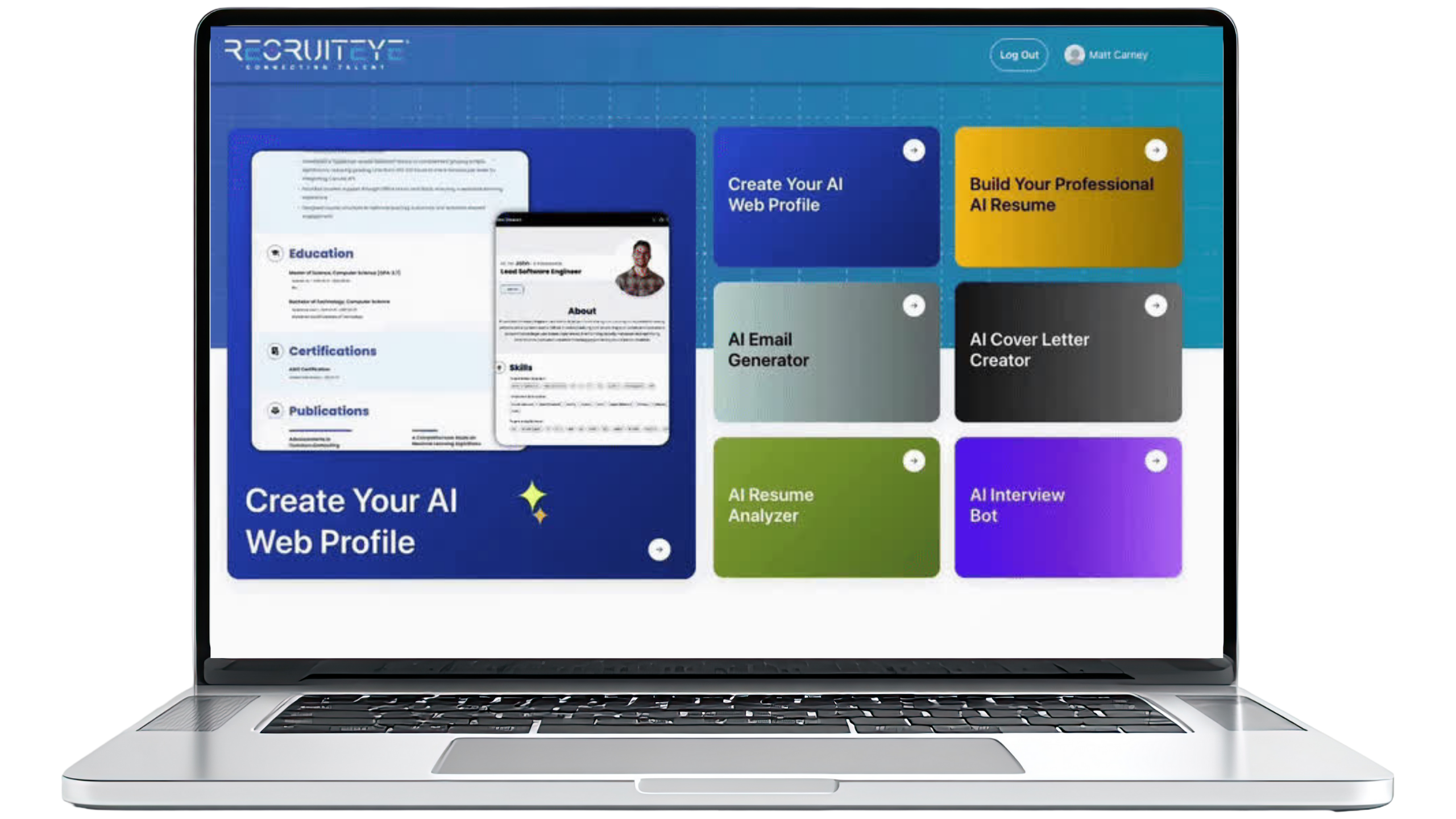
Laptop displaying RecruitEye's interface for creating AI web profiles and accessing career tools like resume builder, email generator, and interview bot.
RecruitEye - Product FAQs

Career Tools FAQs: Resume Builder, Analyzer & More – RecruitEye

Get answers about RecruitEye's powerful career tools

AI Resume Builder

Create ATS-optimized resumes with professional templates

What file formats can I upload to the Resume Builder?+
The Resume Builder supports PDF and DOCX formats. Simply drag-and-drop your existing resume, and our system will parse and extract all text in under 15 seconds. The document structure is automatically recognized, making it easy to edit and optimize your content immediately.
How many resume templates are available?+
We offer 4 professional, ATS-compliant templates designed by industry experts. Each template is recruiter-approved and optimized for specific industries. All templates feature one-click formatting, real-time preview, and mobile-responsive designs that look great on any device.
Can I customize the layout and sections of my resume?+
Absolutely! Our Resume Builder offers complete customization with drag-and-drop section reordering. You can toggle sections on/off for tailoring to specific jobs, maintain full control over resume structure, and everything remains ATS-compatible regardless of your customizations.
How does the AI enhancement feature work?+
Our AI regenerator provides granular experience improvements. Select any bullet point and receive 3-5 enhanced versions with different tones and emphasis. Each suggestion is generated in under 2 seconds, with real-time ATS score updates so you can see the impact immediately. You choose which version fits best—complete control stays with you.
Can I create multiple versions of my resume for different jobs?+
Yes! The Resume Builder includes Ability to save with unique name is included. that lets you generate role-specific versions automatically. Create distinct resumes for different positions (e.g., "Software Engineer" vs. "Engineering Manager"), quick-switch between versions, track which was sent where, and maintain separate optimizations for different career paths.
What makes RecruitEye templates ATS-friendly?+
Our templates are specifically designed to pass Applicant Tracking Systems used by 99% of Fortune 500 companies. We avoid graphics, tables, and multi-column layouts that break ATS parsing. We use standard fonts and simple formatting that ensure headers and key details are never lost in translation. Every template is tested against actual ATS systems like Workday, Taleo, and Greenhouse.
Can I import my resume directly from LinkedIn?+
Yes! You can link your profile directly from LinkedIn for quick import. Due to strict Linkedin policies and limited APIs, the fetching of existing data will vary.
How does the real-time preview work?+
As you edit your resume, changes appear instantly in the preview panel. You can see exactly how your resume will look to recruiters in real-time, with accurate formatting, spacing, and layout. This eliminates surprises when you download your final document—what you see is what you get.
Does the Resume Builder save my work automatically?+
Yes, you can press save button to save the details in The Resume Builder auto-saves every change you make. You never have to worry about losing your work. We also maintain complete version history with undo/redo capability for every change, so you can always go back to a previous version if needed.
Can I download my resume in different formats?+
Your optimized resume can be downloaded in PDF and DOCX formats. PDF is recommended for most applications as it preserves formatting perfectly. DOCX is useful when employers specifically request editable documents. Both formats are fully ATS-compatible and maintain all your customizations.

AI Resume Builder: ATS-Optimized Resumes in Seconds

Get deep insights and actionable improvements for your resume

How is the Resume Analyzer different from basic spell checkers?+
Unlike basic spell-checkers, our Analyzer performs comprehensive, multi-dimensional analysis across 7 critical dimensions: gap analysis, redundancy detection, quantification assessment, impact analysis, section structure, skills gaps, and ATS formatting. We analyze your resume the way hiring systems and recruiters actually evaluate resumes, providing actionable insights backed by data from millions of successful applications.
What is the ATS compatibility score?+
The ATS compatibility score is a 0-100 rating that shows exactly how well your resume will perform in Applicant Tracking Systems. It's broken down by category: keyword match (40%), experience relevance (25%), skills match (20%), education (10%), and format (5%). Users see an average improvement of 40 points after applying our suggestions.
Can I analyze my resume against a specific job description?+
Yes! Our Precision JD-Based Analysis deeply analyzes your target job description to extract essential keywords, skills, and cultural values. Our AI then cross-references these with your resume, providing a detailed alignment score and tailored recommendations. This feature processes job descriptions in under 2 seconds.
What is gap analysis and why does it matter?+
Gap analysis identifies missing qualifications and skills by cross-referencing your resume with over 50,000 job descriptions in our database. This can boost your resume's match score by up to 30%, significantly reducing ATS rejections. We show you exactly what's missing and how to address it effectively.
How does redundancy detection improve my resume?+
Our analyzer detects repetitive phrases and overused language, offering suggestions for concise writing. This helps condense your resume by 15-20% for better clarity and recruiter engagement. Repetition dilutes impact—our tool ensures every word adds value and keeps recruiters reading.
What does quantification assessment check for?+
Our NLP models identify vague descriptions and prompt you to add specific metrics, percentages, and financial figures. Research shows quantified achievements make resumes 40% more impactful. Instead of "improved sales," we help you say "increased sales by 35% ($2M) across 15 territories." Numbers immediately catch a recruiter's eye.
How does impact and action analysis work?+
We analyze your action verbs and convert passive language to active voice. Our system guides you with the STAR method (Situation, Task, Action, Result) for accomplishment statements. We have a database of 1,000+ action verbs categorized by strength and seniority level, ensuring your language demonstrates leadership and ownership.
What does section structure analysis evaluate?+
Leveraging AI models trained on millions of successful resumes, our analyzer validates your resume's organization against industry best practices. It advises on strategic placement and emphasis of sections for recruiter-friendly presentation. Proper structure ensures recruiters find key information within the critical 7.4-second initial scan.
How serious is it if I'm missing critical skills?+
Very serious. Our system compares your listed skills against target job descriptions, identifying missing high-value skills. Research shows missing critical skills can lead to automated disqualification from up to 75% of applications. We suggest categorization for ATS optimization and show you which skills to prioritize adding or emphasizing.
Can I get one-click fixes for common issues?+
Yes! For mechanical errors like spelling, grammar, and basic formatting, we offer one-click automated corrections. More complex issues receive intelligent suggestions with explanations. You maintain complete control—every fix is optional and reversible through our version history system.

AI Cover Letter Creator

Generate personalized, compelling cover letters for every application

How does the AI personalize cover letters for each job?+
Our AI analyzes job descriptions to extract key requirements and tailors content to match company culture with industry-specific language. Each cover letter is personalized for the specific role, highlighting your most relevant experience and demonstrating genuine interest. Generic templates signal lack of interest—our AI ensures every cover letter feels custom-written.
Can I choose different tones for my cover letter?+
Absolutely! Choose from 6 tone options: Professional/Formal (finance, legal), Confident/Assertive (sales, executive), Results-Oriented (analytics, operations), Innovative/Creative (marketing, startups), Collaborative (project management, HR), and Technical/Precise (engineering, IT). Select intensity level (subtle, moderate, strong) and apply to specific sections for perfect alignment with your target company culture.
How quickly can I generate a cover letter?+
Cover letters are generated in 3-5 seconds after you provide the job description and key details. What traditionally takes 45-60 minutes to write from scratch becomes a process of quick review and minor customization. This lets you apply to more positions while maintaining quality and personalization.
Does the Cover Letter Creator pull information from my resume?+
Yes! The Cover Letter Creator automatically syncs with your resume data, pulling relevant experience, skills, and achievements. This ensures consistency between your application materials while saving you from repetitive data entry. No copy-paste required—everything flows seamlessly from your resume.
Can I save and reuse cover letter templates?+
Yes! You can save successful cover letters as templates for similar roles or companies. Create versions for different industries or position types, then quick-customize with AI assistance for each new application. This combines efficiency with personalization—maintaining your unique voice while adapting to each opportunity.
How does the AI understand company culture?+
Our AI analyzes language patterns and values expressed in job descriptions. When a company emphasizes "collaboration" and "innovation," the cover letter reflects those values authentically. When they stress "results-driven" and "metrics," the tone shifts accordingly. This cultural alignment shows you've done your research and understand what they value.
Will my cover letter sound robotic or generic?+
No. Our AI is trained to write in natural, conversational language that maintains your authentic voice. Hiring managers spot AI-generated content that sounds robotic instantly. We prioritize genuine storytelling and personal connection over template language. You always have full editing control to add personal touches and ensure it sounds like you.
Can I highlight specific experiences in my cover letter?+
Yes! You can specify which experiences or achievements to emphasize. The AI will feature those prominently while connecting them to job requirements. This is especially useful when you have diverse experience and want to foreground the most relevant accomplishments for each position.
Does the Cover Letter Creator help with opening and closing paragraphs?+
Absolutely! The AI generates compelling opening hooks that grab attention immediately, avoiding cliché phrases like "I am writing to apply for..." The closing paragraph includes a strong call to action and expresses genuine enthusiasm without sounding desperate. These crucial first and last impressions are optimized for maximum impact.
Can I download my cover letter in different formats?+
Your cover letter can be downloaded in PDF and DOCX formats with professional formatting that matches your resume template. PDF is recommended for most applications to preserve formatting. The layout is clean, professional, and ATS-compatible, ensuring it displays correctly in applicant tracking systems.

AI Email Generator

Professional job search communication at your fingertips

What types of emails can the AI generate?+
The Email Generator supports comprehensive email types including: application emails, follow-ups after application, thank you notes after interviews, networking outreach, salary negotiation, status update requests, and acceptance/decline communications. Each is generated in 3-5 seconds with appropriate structure, tone, and professional etiquette.
Does it integrate with my email account?+
Yes! The Email Generator offers one-click Gmail integration with secure OAuth authentication. Send emails directly from RecruitEye—all emails are saved to your Gmail Sent folder automatically. This means no copy-paste between applications, you maintain your professional email address, and you have full mobile access.
Can I customize the tone of my emails?+
Absolutely! Choose from three tone options: Formal/Professional (for traditional industries and first contacts), Friendly/Conversational (for startups and established relationships), and Enthusiastic/Energetic (for creative roles and expressing genuine excitement). The AI adapts language, formality level, and energy to match your situation perfectly.
Does the AI generate subject lines too?+
Yes! Every generated email includes an appropriate, attention-grabbing subject line. Subject lines are crucial—they determine if your email gets opened. Our AI creates subject lines that are professional, specific to your situation, and optimized for the recipient's attention without being gimmicky or overly casual.
Is my Gmail password secure?+
Absolutely. We use industry-standard OAuth authentication, which means RecruitEye never stores your Gmail password. You control permissions and can revoke access anytime through your Google account settings. All emails appear as if sent directly from your Gmail account, ensuring deliverability and professionalism.
Can I schedule emails to send later?+
Yes! You can schedule emails for optimal timing. Research shows emails sent during business hours on Tuesday-Thursday get higher response rates. Our scheduler lets you compose now and send at the perfect time, ensuring your message arrives when it's most likely to be read and responded to.
How does the AI know what to include in follow-up emails?+
For follow-up emails, you provide basic context (when you applied, position name, any previous interactions). The AI generates a polite, professional follow-up that expresses continued interest without seeming desperate or pushy. It strikes the perfect balance between persistence and professionalism that hiring managers appreciate.
Can I save email templates for reuse?+
Yes! Save successful emails as templates for similar situations. Create a template library for common scenarios like networking introductions or interview thank-yous, then quick-customize with AI assistance for each recipient. This combines efficiency with the personalization that recipients expect and appreciate.
How does the AI handle salary negotiation emails?+
Salary negotiation requires careful tone and strategic framing. Our AI generates emails that express gratitude for the offer, present your counteroffer with data-backed justification, maintain enthusiasm for the role, and keep the conversation collaborative rather than adversarial. It's one of our most valuable templates for a crucial career moment.
Will recipients know my email was AI-generated?+
No. Our AI writes in natural, conversational language that sounds authentically human. We avoid robotic phrasing, overly formal language, and template patterns that hiring managers recognize. You always have full editing control to add personal touches, ensuring every email sounds genuine and maintains your authentic voice.

AI Web Profile Builder

Your professional digital identity online

Why do I need a web profile in addition to my resume?+
In today's digital-first hiring landscape, having a professional online presence is no longer optional—it's essential. Over 60% of recruiters research candidates online before interviews. Your web profile serves as a digital portfolio, allowing recruiters to discover you, explore your background beyond a one-page resume, and connect with you instantly.
How does SEO optimization work for my profile?+
Your profile is automatically optimized for search engines, making it easy for recruiters to find you when searching for candidates with your skills and experience. It appears in Google search results for relevant keywords and industries. We optimize meta tags, headings, and content structure for maximum discoverability without you needing any technical knowledge.
Is my web profile mobile-friendly?+
Absolutely! Your profile is fully responsive, looking perfect on every device—desktop, tablet, or smartphone. Since over 60% of recruiters search for candidates on mobile devices, responsive design is critical for maximum visibility and professional presentation. Your profile automatically adjusts to screen size.
Does my web profile update when I change my resume?+
Yes! Your web profile automatically syncs in real-time when you make changes to your resume in RecruitEye. No manual updates required—one source of truth ensures consistency across all your career materials. Update once, and both your resume and web profile reflect the changes instantly.
Can I see who's viewing my profile?+
Yes! Profile Analytics provide detailed insights into who's viewing your profile. See how many recruiters visited, which sections they spent time on, and where your traffic is coming from. This data helps you understand your personal brand's reach and impact, and can even alert you to potential opportunities.
What URL will my profile have?+
Your profile gets a custom professional URL you can share instantly, formatted as yourname.recruiteyeprofile.com. This looks professional on business cards, email signatures, and LinkedIn. It's clean, memorable, and much more impressive than a random string of characters or generic portfolio URL.
Can I showcase my portfolio and work samples?+
Absolutely! The Web Profile Builder includes a portfolio showcase section for projects, publications, work samples, presentations, and more. Upload images, documents, or links to live projects. This is especially valuable for designers, developers, writers, and anyone whose work benefits from visual demonstration beyond bullet points.
How does the QR code feature work?+
Your profile includes automatic QR code generation perfect for networking events and business cards. People can scan your QR code with their phone and instantly access your complete professional profile. This modern networking tool makes sharing your credentials effortless and memorable at conferences, job fairs, and professional events.
Can recruiters download my resume from my web profile?+
Yes! Your web profile includes a downloadable resume button so interested recruiters can grab your PDF resume directly. This makes it easy for them to share with hiring managers or add to their applicant tracking system. It's the perfect balance of online discoverability and traditional resume format.
How do I make my profile stand out from others?+
Stand out by leveraging all available features: professional headshot, compelling summary, portfolio samples, testimonials section, links to published work or social media, and regular updates that show you're active and engaged. The analytics help you see what's working. A complete, polished profile signals professionalism and seriousness that recruiters notice and appreciate.

Interview Prepper

AI-powered interview practice and preparation

How does the Interview Prepper predict questions?+
The Interview Prepper analyzes your job description to predict the most likely interview questions based on required skills, responsibilities, and company priorities. Our AI is trained on actual enterprise recruiting patterns and years of professional hiring experience. This isn't generic AI—it's how hiring actually works.
What is the STAR method and why does it matter?+
The STAR method (Situation, Task, Action, Result) is the gold standard in behavioral interviewing used by enterprise recruiters worldwide. Every answer you provide is evaluated using this framework. Our tool provides structured response templates pre-populated with your experiences, plus clear feedback on what's missing and what to improve—exactly how real hiring managers evaluate candidates.
Can I practice with different interview formats?+
Yes! Modern hiring uses text, audio, and video interviews at different stages. The Interview Prepper prepares you for all formats in one seamless platform: text interviews for perfecting structured answers, audio interviews for building verbal clarity and confidence, and video interviews for mastering on-screen presence and body language.
What are the difficulty levels?+
The Interview Prepper offers three progressive difficulty levels: Easy (build fundamentals with common questions), Medium (develop behavioral depth with complex situational questions), and Hard (simulate real recruiter pressure with challenging follow-ups). Difficulty adapts to your performance, helping you build confidence through structured practice.
Does it provide feedback on my answers?+
Absolutely! You receive real-time, actionable feedback evaluated using recruiter standards. The AI assesses your answer structure, completeness of STAR components, clarity, relevance to the question, and decision-making demonstration. Users report 85% improvement in STAR methodology application after practice sessions.
Can I practice for company-specific interviews?+
Yes! The Interview Prepper allows you to tailor practice to specific company culture. Provide the company name and job description, and the AI generates questions that reflect that organization's values and interview style. It also includes comprehensive company culture research to help you demonstrate cultural fit and ask informed questions.
How does it adjust for my experience level?+
The Interview Prepper adjusts question difficulty and expectations based on your years of experience. Entry-level candidates get foundational questions about learning and contribution. Senior candidates face questions about leadership, strategy, and organizational impact. This ensures realistic practice that matches what you'll actually encounter.
Is this tool helping me cheat in interviews?+
No. The Interview Prepper doesn't help you fake it—it helps you be ready. We believe in genuine skill development and ethical preparation. You don't get scripted answers to memorize. Instead, you develop real competencies that work in actual conversations. You speak in your own authentic voice and earn your offer through genuine readiness.
Can I track my improvement over time?+
Yes! The Interview Prepper tracks clear progress session-over-session. See improvements in your answer structure, STAR completeness, response time, and confidence levels. This data-driven approach shows you exactly where you're getting stronger and where to focus additional practice. Users report 3x more confidence after consistent practice.
What results can I expect from using Interview Prepper?+
Candidates using Interview Prepper demonstrate measurable improvement across all interview aspects. Users report 3x more confidence in behavioral storytelling, 85% improvement in STAR methodology, and 92% success rate in interview outcomes. Most importantly, candidates report feeling genuinely prepared rather than anxious—transforming interviews from stressful ordeals into confident conversations.

Stay informed about our latest projects and insights.